Available now
Passenger App
Your own taxi booking app
A booking app in your name, on the dispatch you already run, with live tracking, card or cash payments and loyalty points built in.

TaxiDesk by Moova Available now Integrates with iCabbi and Stripe
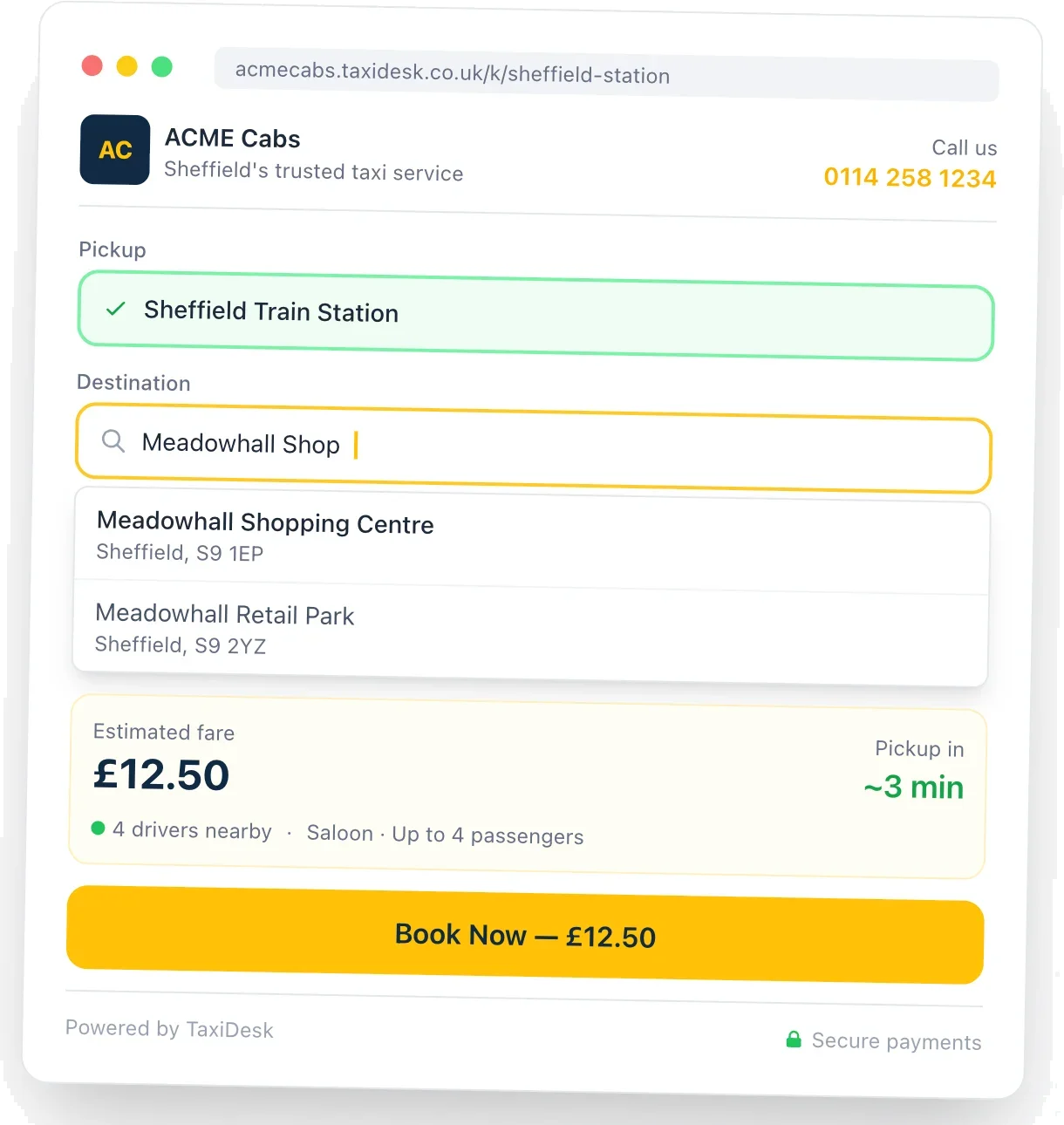
TaxiDesk puts your company wherever passengers need a ride. Each kiosk is a branded booking point that advertises your business and lets passengers book a taxi, call your office or download your app, on any screen or straight from their own phone.
Why it matters
Hotels, stations, airports and busy venues produce a steady flow of passengers who need a taxi, but most operators have no presence at the spot where that decision is made. Guests ask reception to ring whoever they know, open a ride-hailing app, or take the first car at the rank. TaxiDesk puts your brand at those venues as a booking point that quotes live from your dispatch system and sends jobs straight into your queue. It also gives the venue a clear, tracked reason to recommend you.
What it does
Every operator gets its own subdomain, with a booking page for each location carrying your logo and colours, plus the venue’s own logo and welcome text. Passengers can book, call your office or download your app.
Fares come straight from iCabbi, including fixed fares and account pricing. Each kiosk can show the nearby driver count and pickup time within a search radius you set.
Choose cash, card or both for each kiosk. Card bookings are paid up front through Stripe with Apple Pay and Google Pay, and the money goes into your own account. Passengers can also pay on their own phone from a QR code, or by a payment link sent by email or text.
Add a booking widget to your website with one line of code, in inline, button or hero styles. One widget can serve several location pages, each with its own tracking tag.
Fixed or open pickup and destination, quick destinations, pre-book only with a minimum notice period, a one-button “Call a Taxi” mode, a lobby TV display and event kiosks that switch on and off on schedule.
Download tracked QR codes, sales sheets and share links. Short links can point at a different kiosk without reprinting, and room-level links fill in a hotel guest’s room number.
Pay venues a fixed or percentage commission, with separate cash and card rates. Only completed trips count, changes can need an approver’s sign-off, and venues log in to their own portal to see statements and request payouts.
See quotes, bookings, conversion, completed value, margin and repeat customers, filtered by kiosk, widget, venue, region and date, with CSV export.
Owner, Manager, Staff, Finance and Viewer access, with managers limited to their region and an audit log of changes. Dispatch is retried automatically, card bookings that can’t be dispatched are refunded, and every passenger gets an SMS and email confirmation.
How it works
Add your iCabbi API credentials and TaxiDesk checks the connection. Quotes use your existing iCabbi tariffs and vehicle types, so nothing changes on the iCabbi side.
Set the pickup address, vehicle types, payment options and pricing, and add your branding alongside the venue’s. A mobile Quick Setup wizard creates a test kiosk on the spot during a venue visit.
Run it on any screen with a browser, show it on a lobby TV, or print QR codes and add NFC tags so passengers book on their own phones. You can also embed the booking widget on your website.
Bookings land in your iCabbi queue like any other job, and their status syncs back once the trip finishes. Analytics show conversion by kiosk, venue and traffic source, and the venue commission ledger builds up automatically.
FAQ
No. TaxiDesk runs on any screen with a web browser, such as a lobby TV or a tablet at reception. Passengers can also book on their own phones from a QR code or NFC tag.
Every booking goes straight into your iCabbi dispatch queue and drivers see it like any other job. You choose the booking source it arrives under, and the trip status syncs back to TaxiDesk once the job finishes.
Card bookings are paid before the job is dispatched, using Stripe, with Apple Pay and Google Pay supported, and the money goes into your own connected account. If a job can’t be dispatched, the passenger is refunded automatically.
Yes. Each kiosk can add a fixed or percentage uplift to the iCabbi quote, with minimum and maximum limits. Cash and card customers pay the same price, and the analytics show the margin you make.
You create a partnership with the venue and set a fixed or percentage commission, with separate cash and card rates if you want them. Only completed trips count. The venue sees its balance in its own portal, without any passenger details, and requests a payout once it reaches your threshold.
Yes. Many operators begin with the booking widget on their own site and add venue kiosks later. Both use the same dashboard, integration and analytics.
Next step
Book a demo and we will walk you through it with your own operation in mind.
Works well with
Your own taxi booking app
A booking app in your name, on the dispatch you already run, with live tracking, card or cash payments and loyalty points built in.
Stop losing customers on autopilot
Retention and marketing for multi-site iCabbi taxi firms: spot regulars who have stopped booking and win them back with consent-checked texts.
Your dispatch, set up properly and connected
We set up, configure and integrate the dispatch system you already use, such as iCabbi, and connect it to your payments, apps and back-office systems.
Win passengers and recruit drivers
Campaigns that win passengers and recruit drivers, from digital marketing to leaflet drops in your area.